Smart Auto-Zoom for Screen Recordings

Bring each click into view automatically, so viewers always know where to look. No keyframes - and every zoom stays editable.

Keep the important part of the screen easy to see

A full-screen recording can make buttons, menus, and text feel tiny. Smart auto-zoom brings each action closer at the right moment, so viewers can follow the demo without squinting, losing their place, or waiting for you to explain where to look.
Choose the exact focus when automatic is not enough

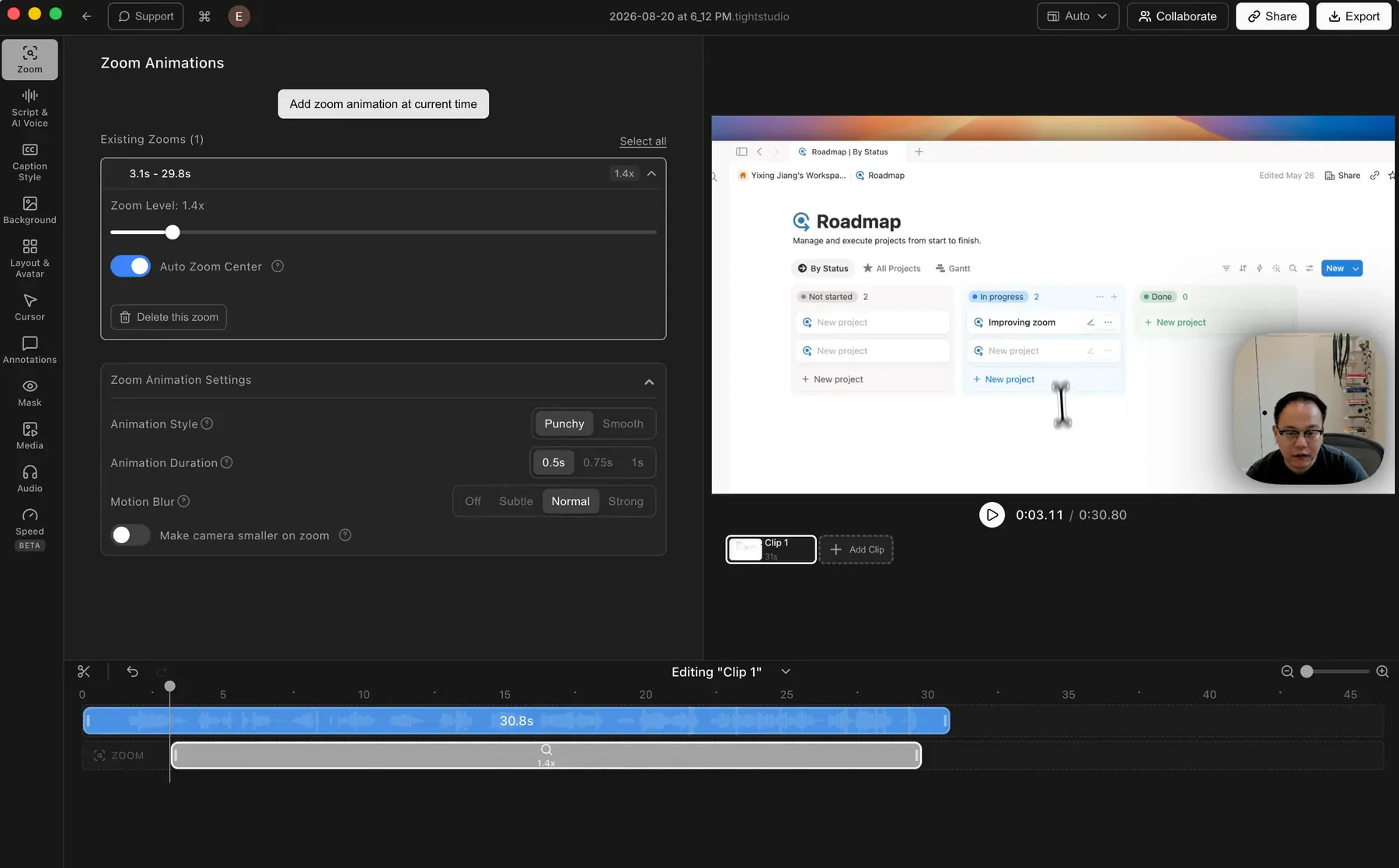
Every zoom stays editable. Turn off Auto Zoom Center for any zoom segment, then choose a fixed point in the preview. You get the speed of automatic framing with precise manual control for the moments that need it.

Tight Studio zoom editor showing the Auto Zoom Center control, zoom level, video preview, and an editable zoom segment on the timeline

Frequently asked questions

How does smart auto-zoom work?

Tight Studio detects your clicks and keystrokes and automatically zooms in to highlight them. The zooms are generated for you with smooth easing - there is no manual editing or keyframing needed.

Do I need to edit the zooms manually?

No. Tight Studio creates zooms automatically from your clicks and keystrokes. When a moment needs different framing, turn off Auto Zoom Center for that segment and choose a fixed focus point in the preview.

What kinds of videos benefit most from auto-zoom?

Product demos, tutorials, and walkthroughs benefit the most - any video where the viewer needs to see exactly where you clicked or what you typed. Auto-zoom keeps attention on the part of the screen that matters.

Make your next screen recording easier to follow

Download Tight Studio and let smart auto-zoom handle the framing.

Download free

macOS Apple Silicon - Free to start, no credit card required