By Ethan Jiang

Tight Studio vs CleanShot X

CleanShot X is a fast screenshot and capture utility with lightweight recording. Tight Studio is a screen recorder and editor for videos that need automatic zoom, polished motion, captions, narration, overlays, and multiple clips.

Download Tight Studio free

macOS Apple Silicon - Free to start

Quick verdict

Choose based on the thing you need to deliver

Choose Tight Studio

When the deliverable is a finished video that needs automatic zoom, cursor polish, captions, narration, backgrounds, annotations, or multiple clips.

Choose CleanShot X

When screenshots, scrolling capture, OCR, quick markup, direct GIF recording, and a fast file or link matter more than post-production.

The biggest difference: CleanShot X is a $29 one-time Mac capture utility with a lightweight video editor. Tight Studio has a free starting tier and carries a screen recording through a much deeper video edit. The products overlap at capture and sharing, but diverge immediately after recording.

This is a first-party comparison. Ethan tested CleanShot X's Record Screen flow for our unpublished Mac screen recorder guide and reviewed its official feature and pricing pages on August 20, 2026. The Tight Studio screenshots and editor findings come from the same hands-on review used for our Screen Studio comparison.

Scope note: CleanShot X has an excellent screenshot editor. When this page says a feature is unavailable, it refers to recorded video unless the copy explicitly says otherwise.
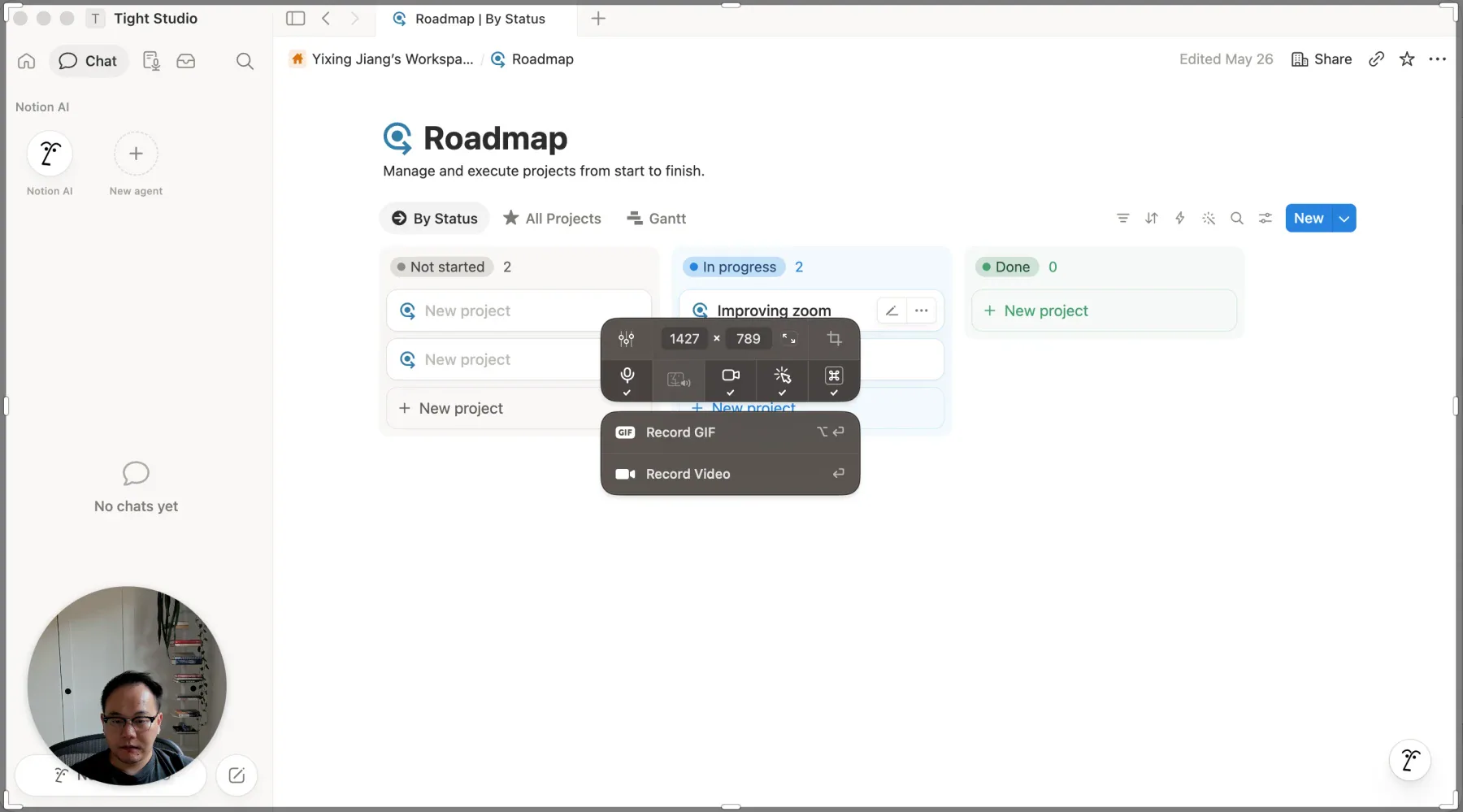
Screen recording workflow and automatic zoom

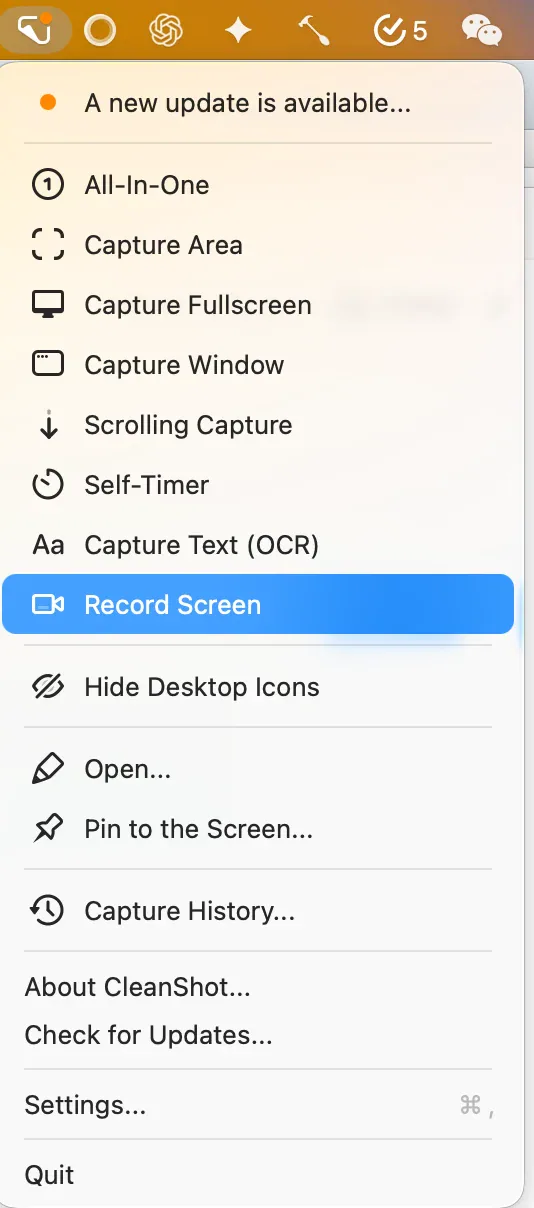
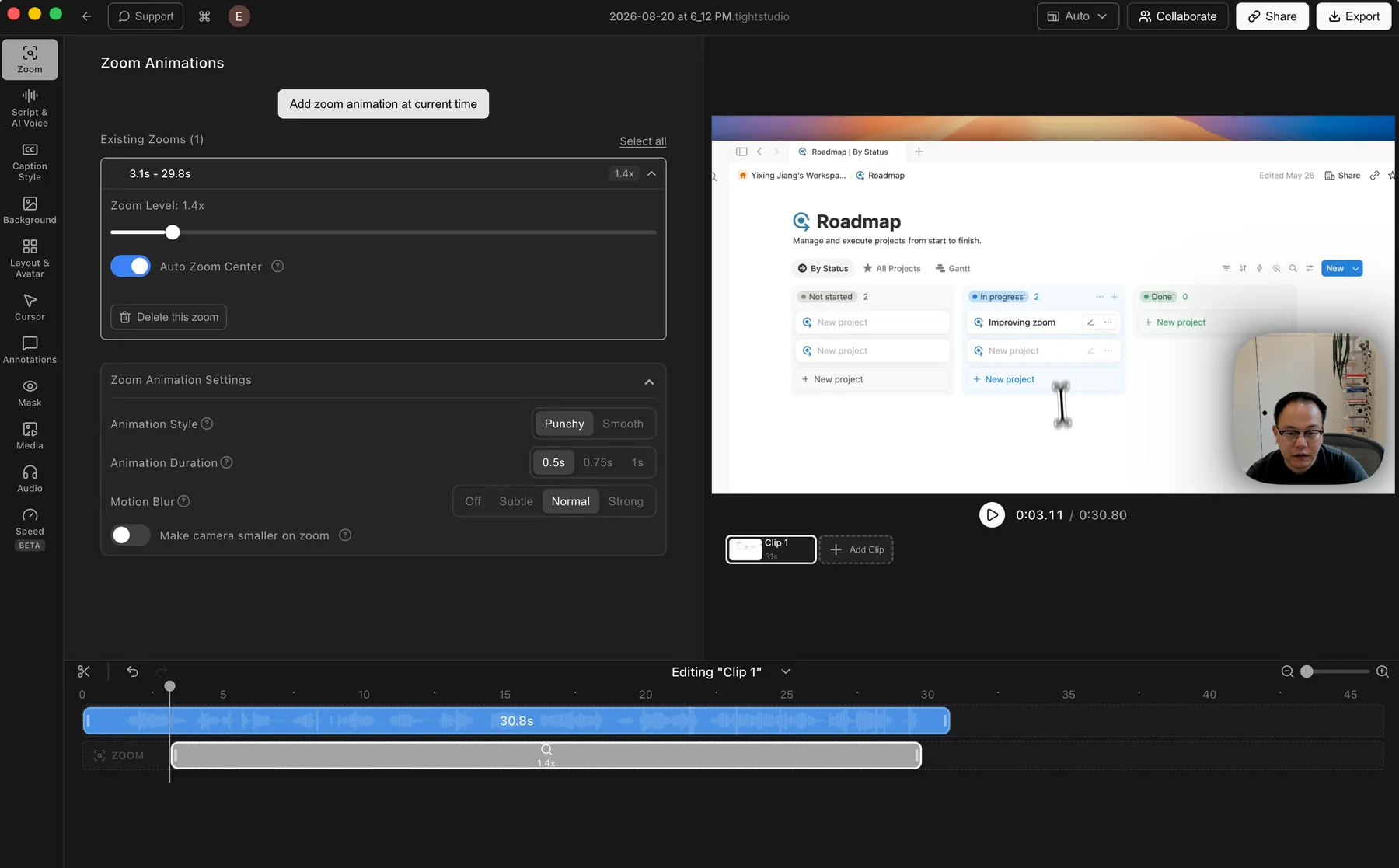
Both apps record the Mac screen, microphone, computer audio, and camera. The difference appears after capture: Tight Studio opens an editable production project, while CleanShot X prepares one flattened recording for quick sharing.

The problem it solves

A raw full-screen recording often makes important interface details too small to follow. Automatic zoom and an editable timeline let the creator redirect attention after recording instead of trying to stage every movement perfectly during capture.

Our take

Tight Studio wins for finished video. CleanShot X is faster for a quick MP4 or GIF, but it does not provide automatic zoom, manual zoom keyframes, or an editable screen-production timeline.

Tight Studio

Pros

  • Generates zooms after recording, so the original capture remains editable.
  • Manual zooms can be added and adjusted directly on the timeline.
  • Controls cover zoom level, auto-centering, animation style and duration, motion blur, and camera size.

Cons

  • The automatic zooms still need a quick review before export.
  • Finding your preferred motion style may take a little adjustment.

CleanShot X

Pros

  • Records a window, full screen, or custom area directly to MP4 or GIF.
  • Captures microphone and computer audio, with optional webcam, click, and keystroke overlays.
  • Keeps the capture flow fast and close to the built-in macOS screenshot experience.

Cons

  • Does not generate automatic zooms or support manual zoom keyframes after recording.
  • Saves a flattened recording rather than an editable screen-production timeline.
  • A finished video that needs animated framing must move to another editor.

Video backgrounds and brand customization

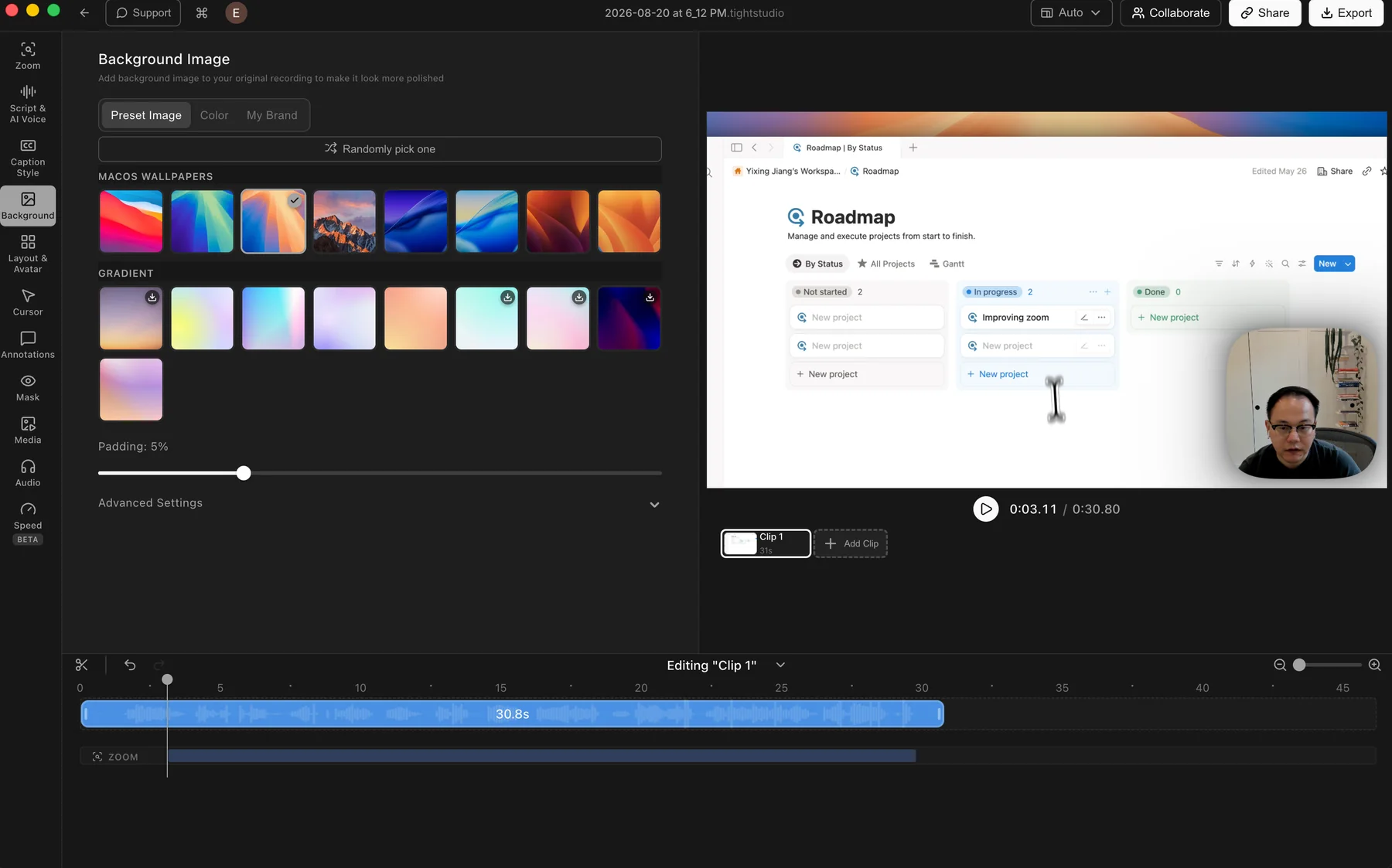
A video background adds breathing room around the captured window, improves separation, and lets a recording match a product or company's visual identity.

The problem it solves

Raw screen captures fill the frame and can feel visually flat, especially when the app window and video canvas share similar colors. Backgrounds add contrast, padding, and a consistent brand treatment without rebuilding the recording elsewhere.

Our take

Tight Studio wins for video. CleanShot X has a strong Background tool for screenshots, but those backgrounds, padding, and aspect-ratio controls are not part of its video editor.

Tight Studio

Pros

  • Includes preset macOS wallpapers and gradient backgrounds for quick styling.
  • Solid colors and custom brand images cover the main branded-video workflows.
  • Random selection and padding controls make it easy to change the frame quickly.

Cons

  • Some fine controls sit inside Advanced Settings instead of the main panel.
  • Choosing a custom background adds another visual decision before export.

CleanShot X

Screenshot backgrounds only

CleanShot X can add backgrounds, padding, alignment, and custom aspect ratios to screenshots. Its video editor does not add a canvas background or post-recording padding around a screen recording.

View CleanShot X features

Pros

  • Its screenshot Background tool includes presets, custom backgrounds, padding, alignment, and aspect-ratio controls.
  • Window screenshots can use a desktop background, custom image, or plain color.

Cons

  • Screenshot background controls do not carry over to recorded video.
  • A framed video with padding or brand imagery requires another editor.

Cursor animation, click effects, and keystrokes

Cursor treatment guides attention and confirms interactions. Capture-stage markers are useful for quick recordings, while post-recording animation gives the creator more control over the final motion.

The problem it solves

The default system pointer is easy to lose at video scale. Click markers and keystrokes help during capture, but a shaky or rushed cursor path can only be polished when the editor retains the interaction data after recording.

Our take

Tight Studio wins for post-recording cursor polish. CleanShot X has useful capture-stage click and keystroke overlays, but they are baked into the file and it does not smooth or restyle the cursor path later.

Tight Studio

Pros

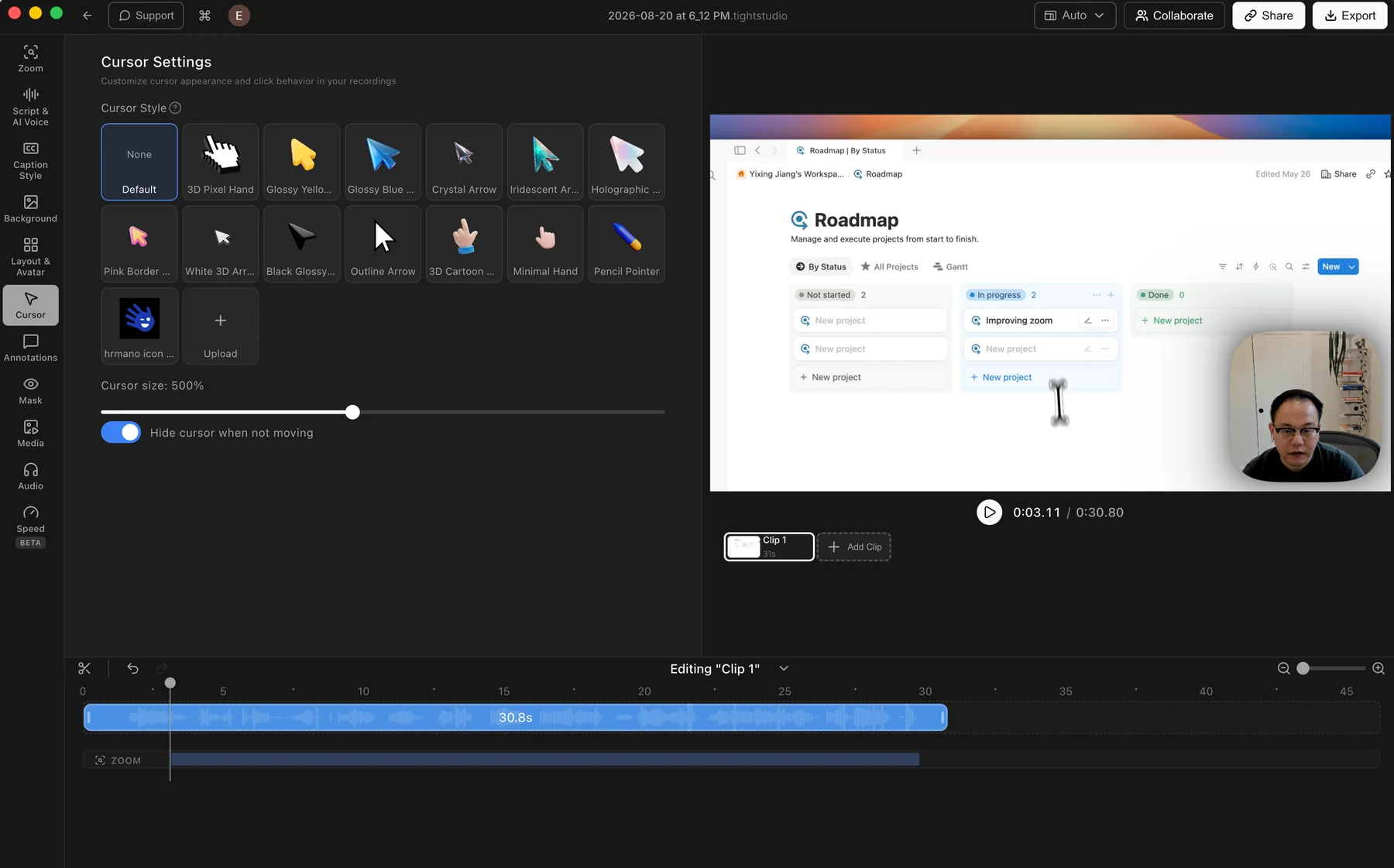
  • Offers a varied library of preset cursor designs and adjustable cursor size.
  • Lets users upload their own cursor image for a branded or product-specific pointer.
  • Can hide the cursor when it is not moving to reduce visual clutter.

Cons

  • Does not offer built-in click effects or click sounds.

CleanShot X

Capture-stage effects only

CleanShot X can show or hide the cursor and capture clicks or keystrokes while recording. These effects are baked into the output instead of becoming editable timeline data.

View CleanShot X recording features

Pros

  • Click markers support color, size, outline or filled styles, and optional animation.
  • Keystroke overlays can show all keys or only command keys.
  • The cursor can be shown or hidden before capture.

Cons

  • Does not smooth or reanimate the recorded cursor path after capture.
  • Does not provide post-recording cursor styles, sizing, idle hiding, or custom cursor uploads.
  • Capture-stage effects cannot be retimed or restyled after recording.

Camera layouts and virtual backgrounds

Camera framing keeps the presenter visible without covering important content, while layout changes give each moment the right visual emphasis.

The problem it solves

A fixed camera overlay can block the interface or feel repetitive throughout a longer recording. Timeline-based layout changes let the presenter move aside, take focus, or disappear when the screen needs more room.

Our take

Tight Studio wins for editing flexibility. CleanShot X covers the core webcam overlay at capture time, including position, size, shape, and fullscreen mode, while Tight Studio can change layouts later and add custom camera backgrounds.

Tight Studio

Pros

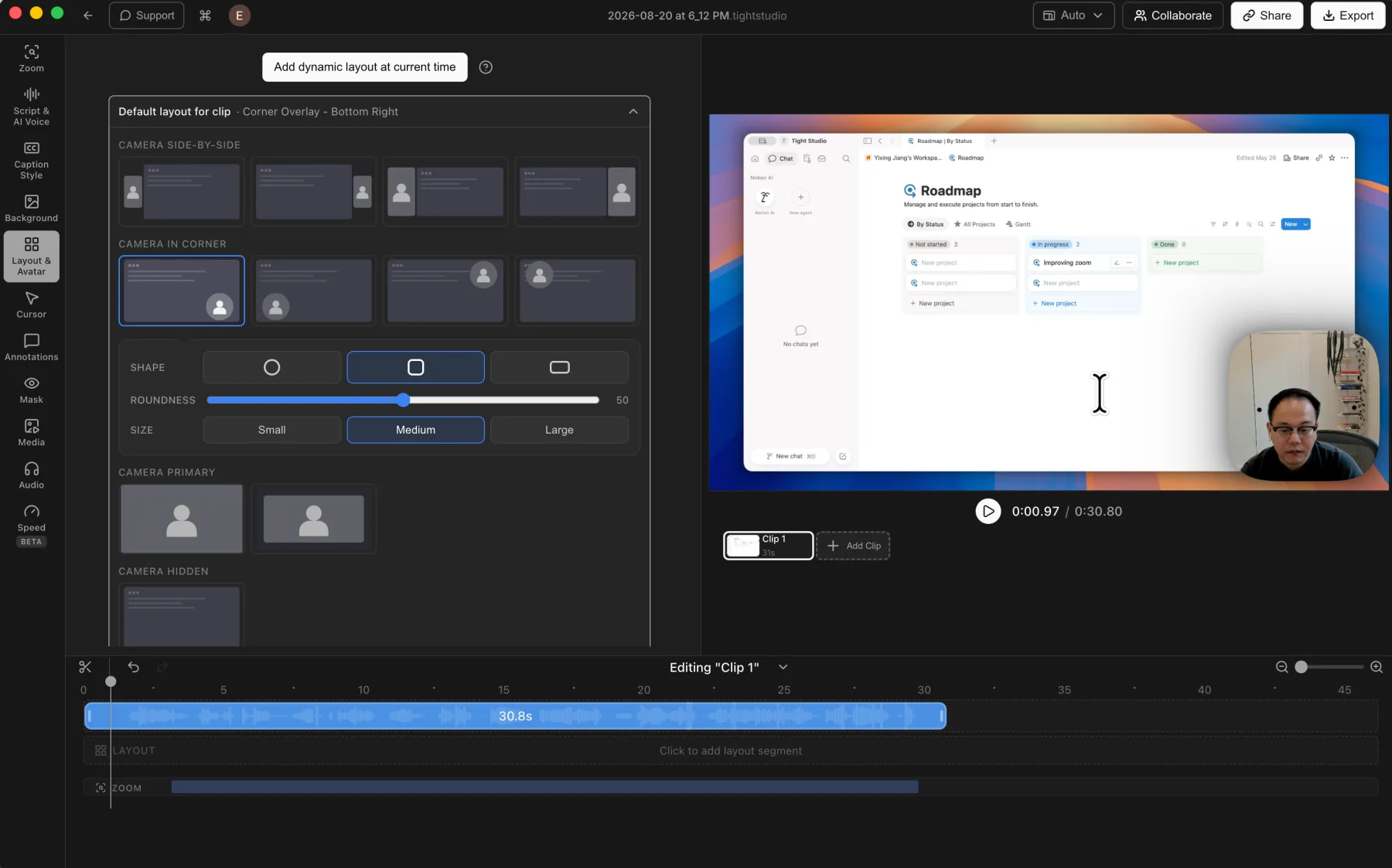
  • Supports camera position, shape, size, mirroring, and layout changes across the timeline.
  • Offers side-by-side, corner overlay, camera-primary, and camera-hidden layout styles.
  • Lets users customize the camera background with presets or upload their own brand image.

Cons

  • The broader control set takes longer to scan than a capture-only webcam overlay.

CleanShot X

One capture-stage camera layout

CleanShot X records a webcam overlay with position, size, shape, and fullscreen controls. The chosen presentation is captured into the recording rather than edited later on a timeline.

View CleanShot X camera controls

Pros

  • Records the camera with the screen without requiring a separate webcam app.
  • Lets users choose the camera position, size, shape, and fullscreen mode before or during capture.

Cons

  • Does not provide timeline-based camera layout changes after recording.
  • Does not provide side-by-side screen and camera templates or custom virtual camera backgrounds.
  • Moving or resizing the camera during capture is baked into the final recording.

Transcription and caption styling

Speech transcription saves manual typing, while clear caption editing and flexible styling make the finished video easier to follow and update.

The problem it solves

Product names, technical terms, and sentence breaks often need correction. A caption workflow must keep text synchronized with the recording and make it readable without sending the video through a second app.

Our take

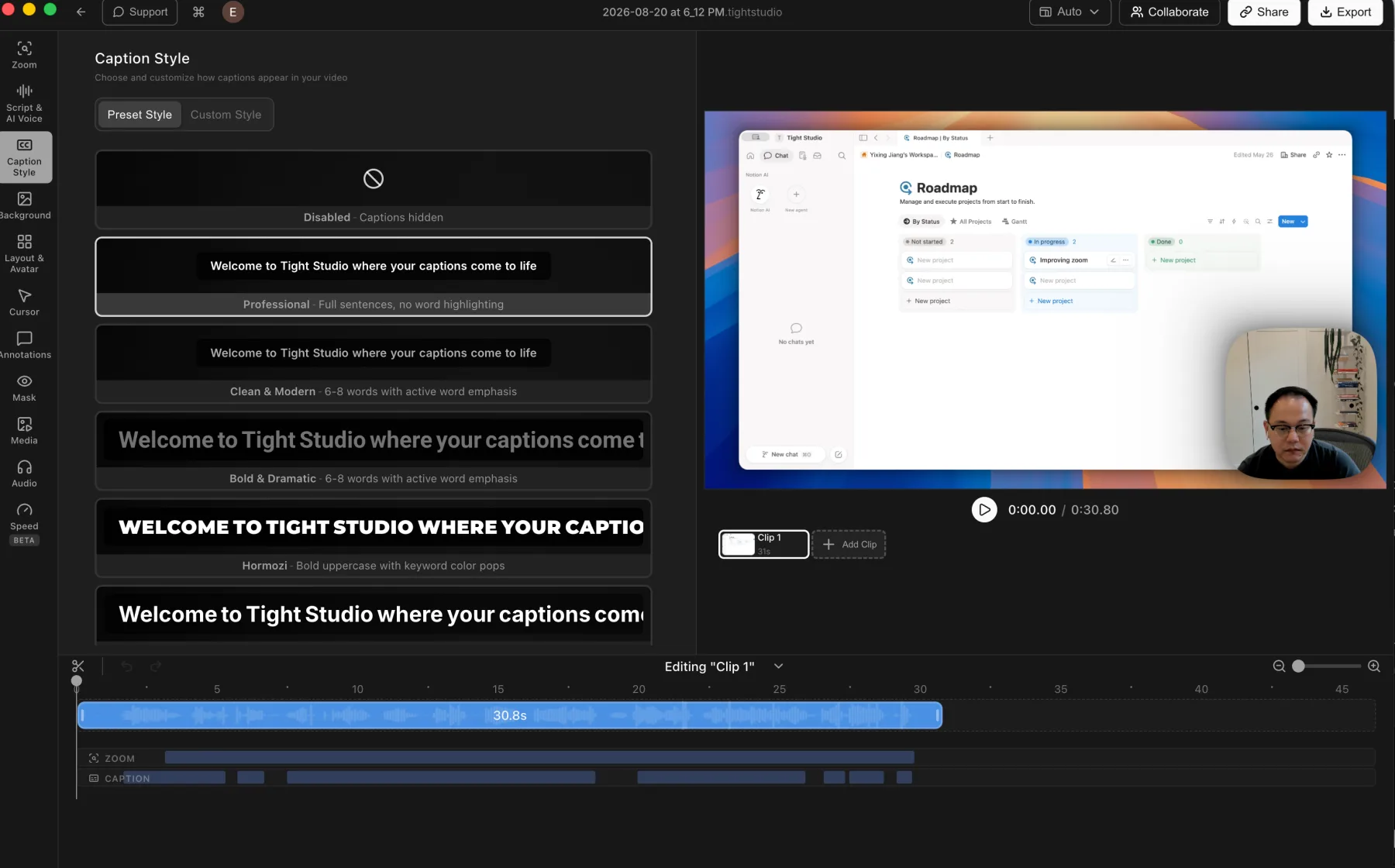
Tight Studio wins decisively. It transcribes speech, exposes an editable script, and styles synchronized captions. CleanShot X has on-device OCR for copying visible text, but no speech transcription or video-caption workflow.

Tight Studio

Pros

  • Uses ElevenLabs cloud transcription, with Tight Studio's privacy policy stating that audio is deleted after processing and not stored on Tight Studio servers.
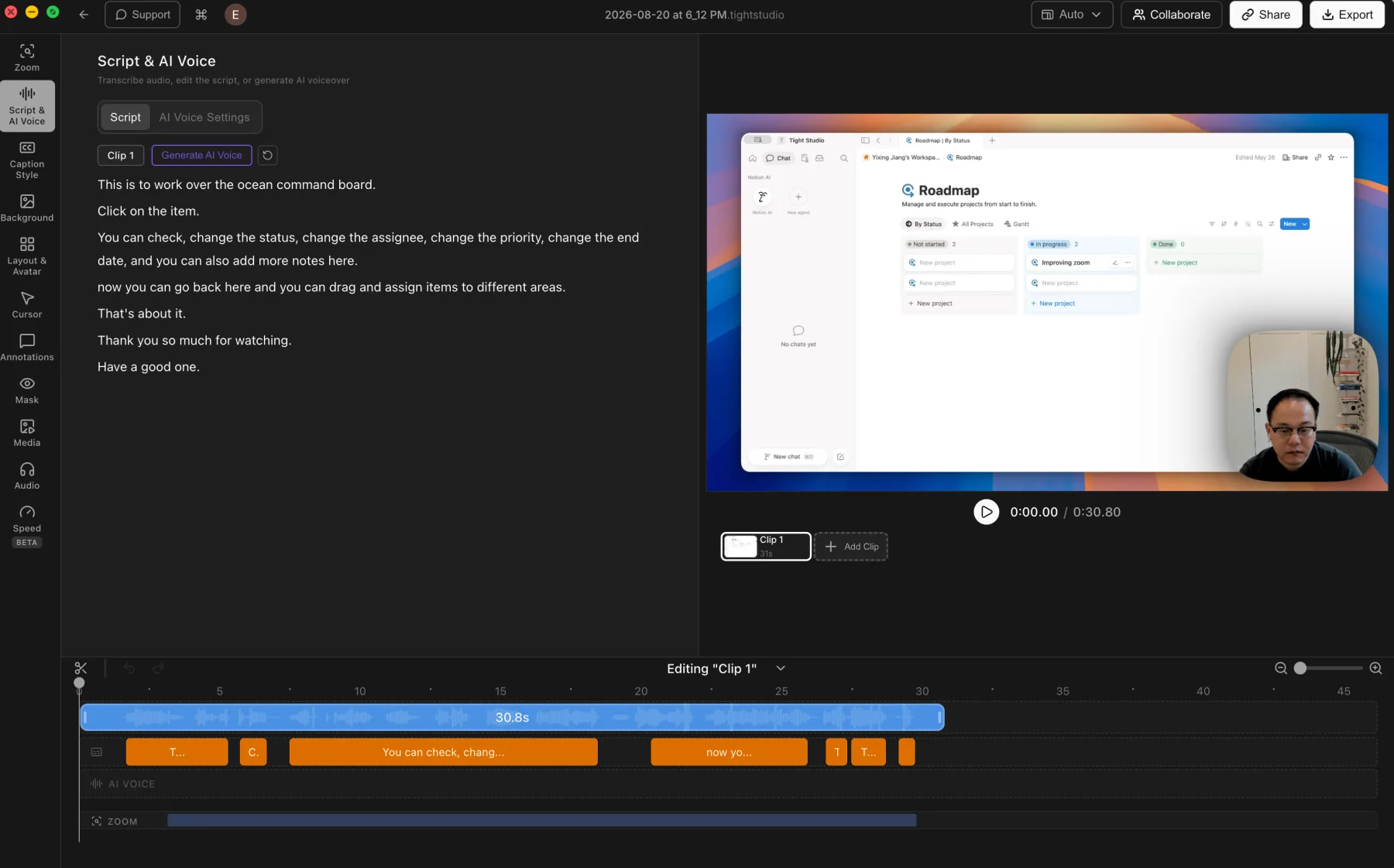
  • Presents transcript editing as readable script text beside synchronized caption segments on the timeline.
  • Includes caption style presets and detailed custom styling controls.

Cons

  • Audio must leave the Mac for cloud processing, even with the stated no-retention policy.
  • Transcription requires an internet connection.

CleanShot X

No video transcription or captions

CleanShot X includes on-device OCR for copying text from an image or screen region, but OCR is not speech transcription and does not create captions for a recording.

View CleanShot X features

Pros

  • On-device OCR quickly copies non-selectable text from the screen.
  • OCR text stays on the Mac according to CleanShot X.

Cons

  • Does not transcribe spoken audio from a recording.
  • Does not generate, edit, or style video captions.
  • Captioned videos require another transcription and editing tool.

Computer audio, microphone controls, and music

Recording the Mac and microphone captures the source material. Music and timeline controls turn those sources into an intentional mix.

The problem it solves

A recording may need computer sound, narration, and music at different moments and levels. Basic volume controls prepare a quick file, while a production edit needs separate tracks and timing.

Our take

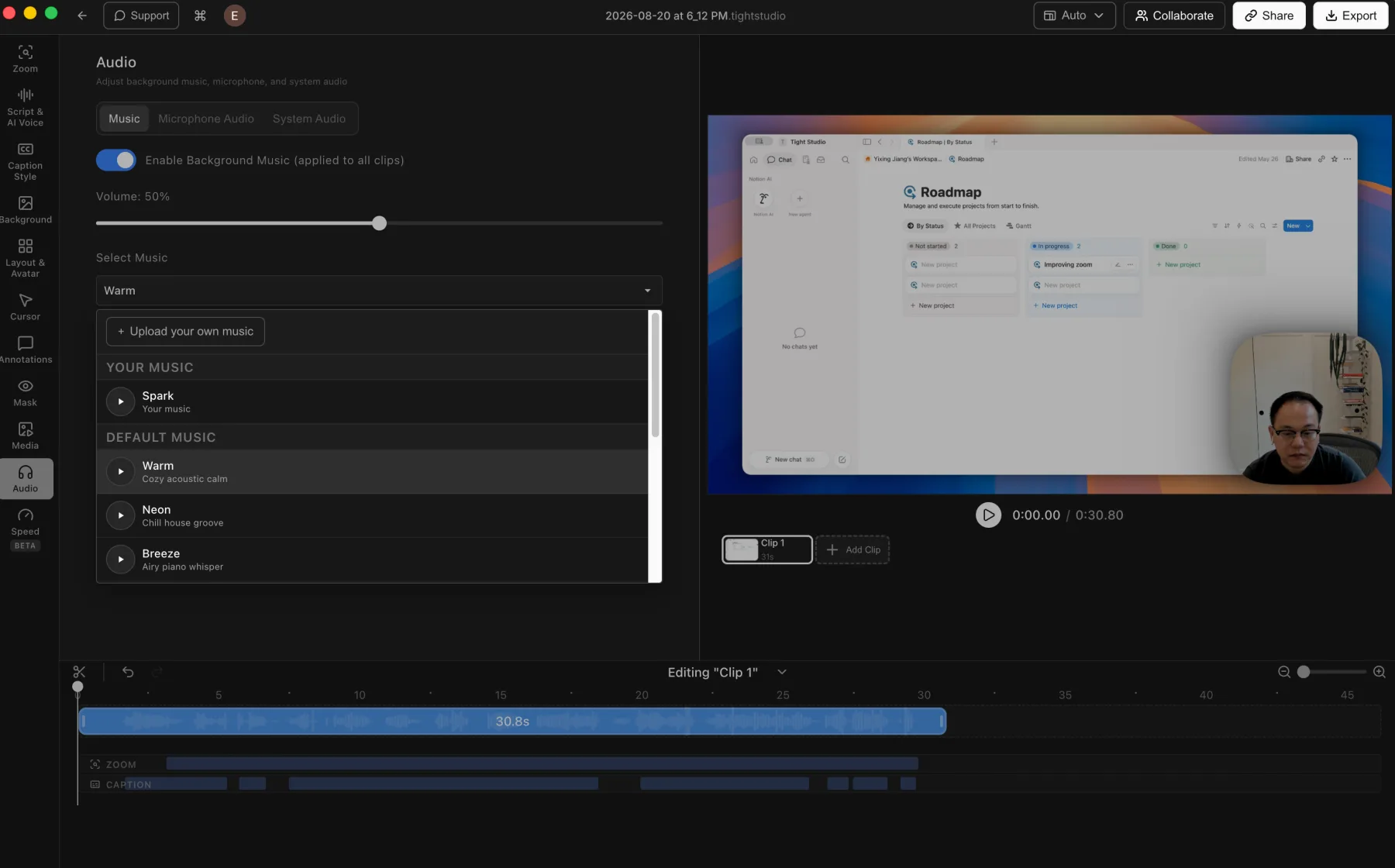
Split decision. Both record microphone and computer audio. CleanShot X is sufficient for quick volume, mute, and stereo-to-mono adjustments; Tight Studio adds built-in music, custom audio uploads, and timed music segments.

Tight Studio

Pros

  • Includes built-in music and lets users upload their own audio files.
  • Advanced music segments can be placed and trimmed to chosen time ranges instead of running across the entire video.
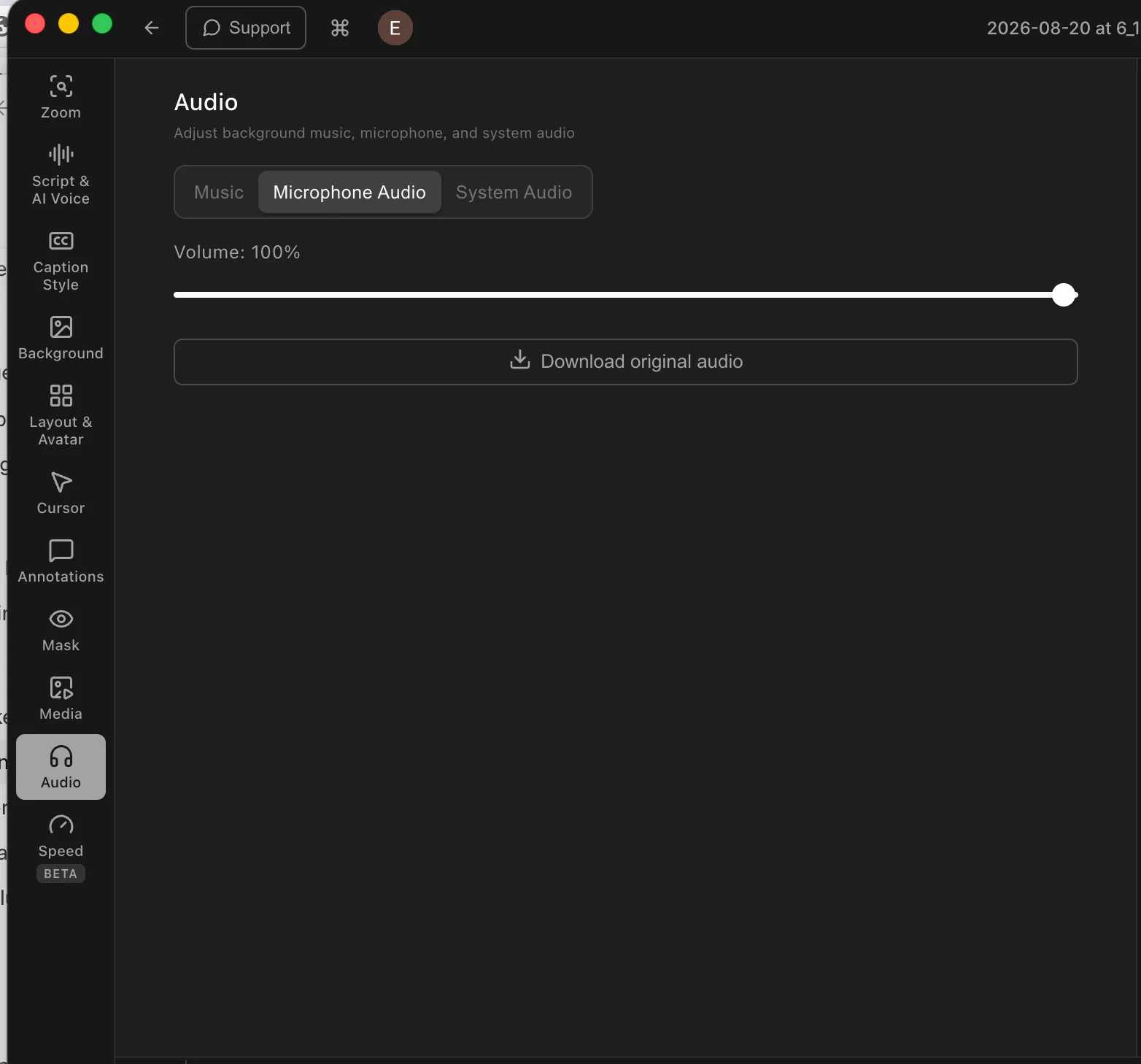
  • Supports microphone muting and direct microphone volume adjustment.

Cons

  • Does not provide automatic microphone noise reduction or volume normalization.
  • Custom music timing requires the advanced music-segment workflow rather than the simpler background-music mode.

CleanShot X

Capture audio, then make basic adjustments

CleanShot X records microphone and computer audio. Its video editor can adjust or mute volume and convert stereo audio to mono, but it does not provide a music library or timeline audio tracks.

View CleanShot X audio features

Pros

  • Records both microphone and computer audio.
  • Supports volume adjustment, muting, and stereo-to-mono conversion after capture.
  • Keeps common utility controls simple.

Cons

  • Does not include built-in background music or custom music tracks.
  • Does not place microphone, computer audio, and music on an editable timeline.
  • Audio cannot be timed or mixed in sections inside CleanShot X.

Privacy masks and annotations

Masks hide information that should not be shared. Text, shapes, and highlights make a tutorial easier to follow by labeling the important parts of each frame.

The problem it solves

Recordings can expose names, emails, access tokens, or customer data, while dense interfaces make the important control hard to spot. Timed visual layers solve both problems without recording again.

Our take

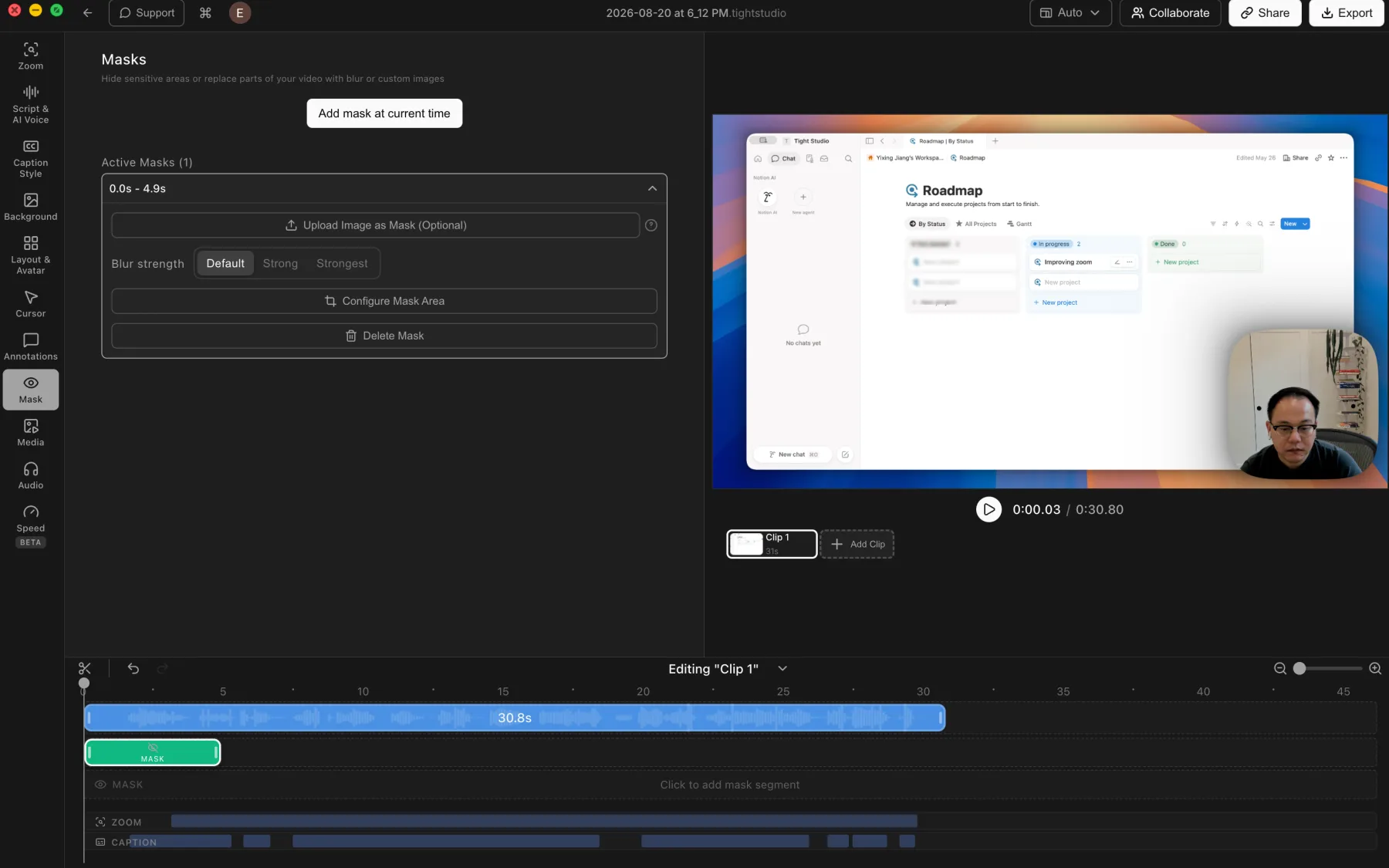
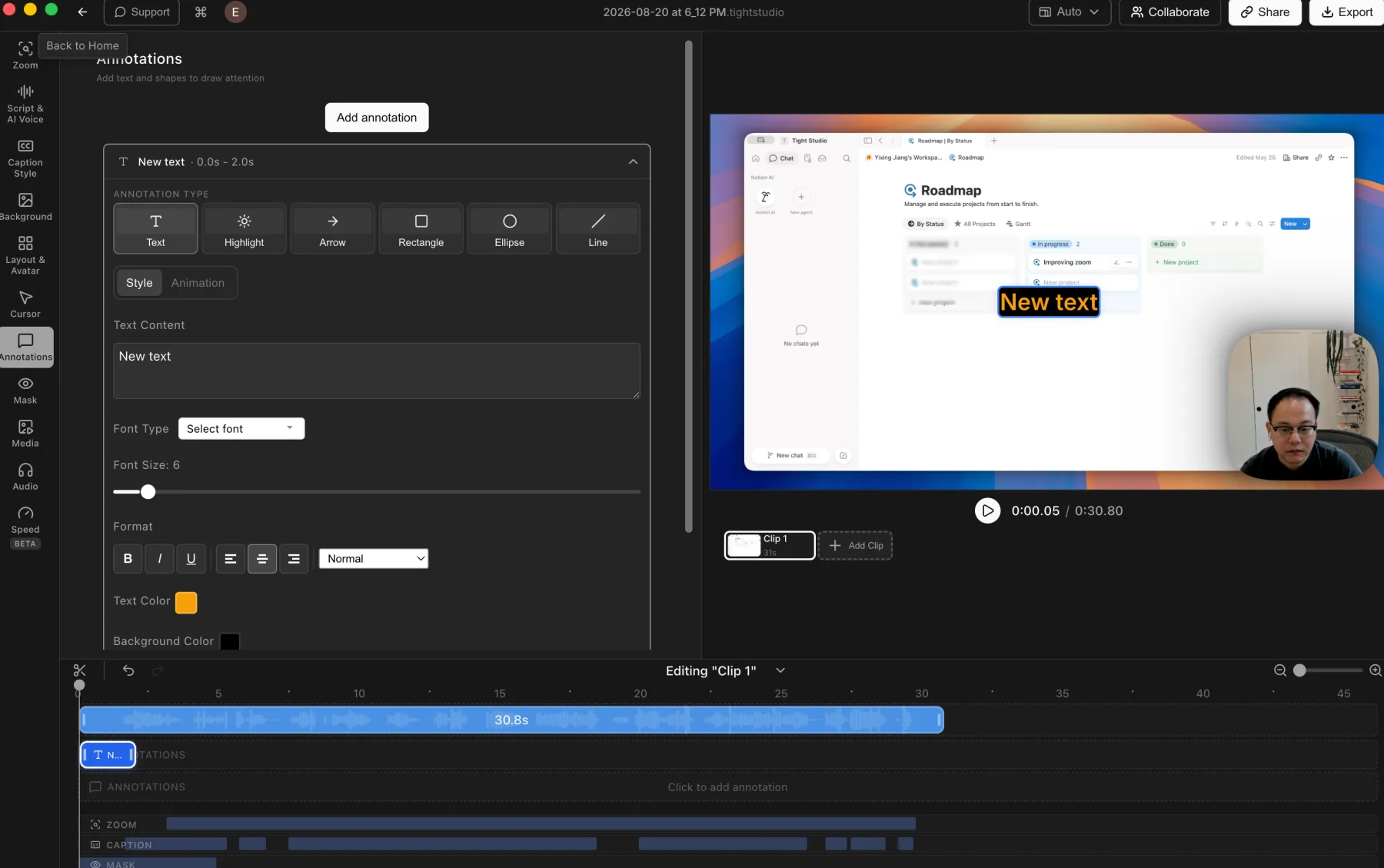
The winner depends on format. CleanShot X is excellent for annotating and redacting screenshots. Tight Studio wins for video because its masks, text, arrows, shapes, and highlights can be placed and timed on the recording timeline.

Tight Studio

Pros

  • Supports privacy masks and highlight masks for hiding details or directing attention.
  • Privacy masks can be timed, resized, and adjusted with multiple blur strengths or a custom replacement image.
  • Adds styled text, highlights, arrows, rectangles, ellipses, and lines with timeline control.

Cons

  • The broader annotation toolset adds more controls to learn and adjust.
  • Masks and annotations still require manual placement and timing.

CleanShot X

Excellent screenshot markup, no timed video markup

CleanShot X has a deep screenshot annotation editor with text, arrows, shapes, blur, pixelation, spotlight, counters, and drawing tools. Those editable annotations apply to screenshots, not video frames on a timeline.

View CleanShot X annotation tools

Pros

  • Provides a broad, polished annotation toolkit for screenshots.
  • Can blur or securely pixelate sensitive details in still images.
  • Editable CleanShot project files preserve screenshot annotations for later changes.

Cons

  • Does not add timed text, shapes, arrows, highlights, or privacy masks to a video.
  • Sensitive information in a recording must be hidden before capture or edited elsewhere.
  • Screenshot annotations cannot be animated or synchronized with video playback.

AI voiceover and voice cloning

AI voice turns an edited script into finished narration, making it easier to correct mistakes, update a demo, or publish without recording again.

The problem it solves

A strong screen recording can still be held back by mispronunciations, background noise, uneven pacing, or an outdated line. Traditional fixes mean recording again and matching the timing.

Our take

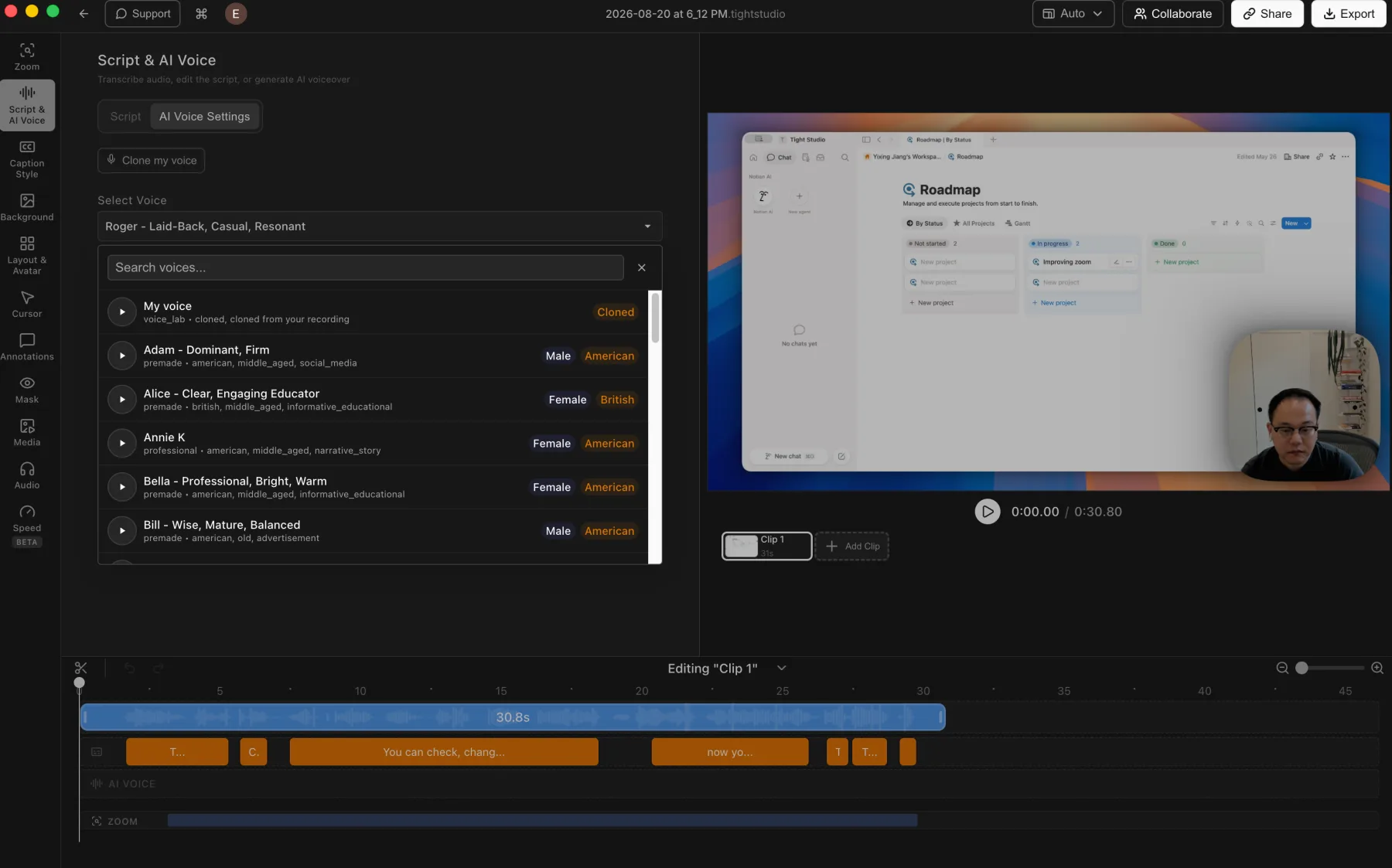
Tight Studio wins decisively. AI voice is a built-in workflow with voice cloning, premade voices, and script-generated narration. CleanShot X records a microphone but does not generate or replace narration.

Tight Studio

Pros

  • Turns an edited script into generated narration without recording another take.
  • Lets users clone their own voice or choose and preview a searchable library of premade voices.
  • Keeps generated narration on a dedicated AI Voice track for timeline-based editing.

Cons

  • Generated speech may still need previewing and script adjustments to match the intended delivery.
  • AI voice generation is a Pro feature rather than part of the free editing workflow.

CleanShot X

Not part of CleanShot X

CleanShot X records microphone audio but does not turn text into narration, clone a voice, or generate replacement speech inside its video editor.

View CleanShot X features

Pros

  • The simple microphone workflow avoids adding AI setup to a quick capture.

Cons

  • Does not generate narration from a script.
  • Does not provide voice cloning or a voice library.
  • Correcting a spoken line requires another recording or an external voice tool.

Multi-clip editing and media imports

Combining recordings, imported video, and still images in one project removes the handoff to a separate editor.

The problem it solves

When a walkthrough needs a second take, supporting clip, or product image, a single-recording editor forces the creator to export, assemble elsewhere, and export again.

Our take

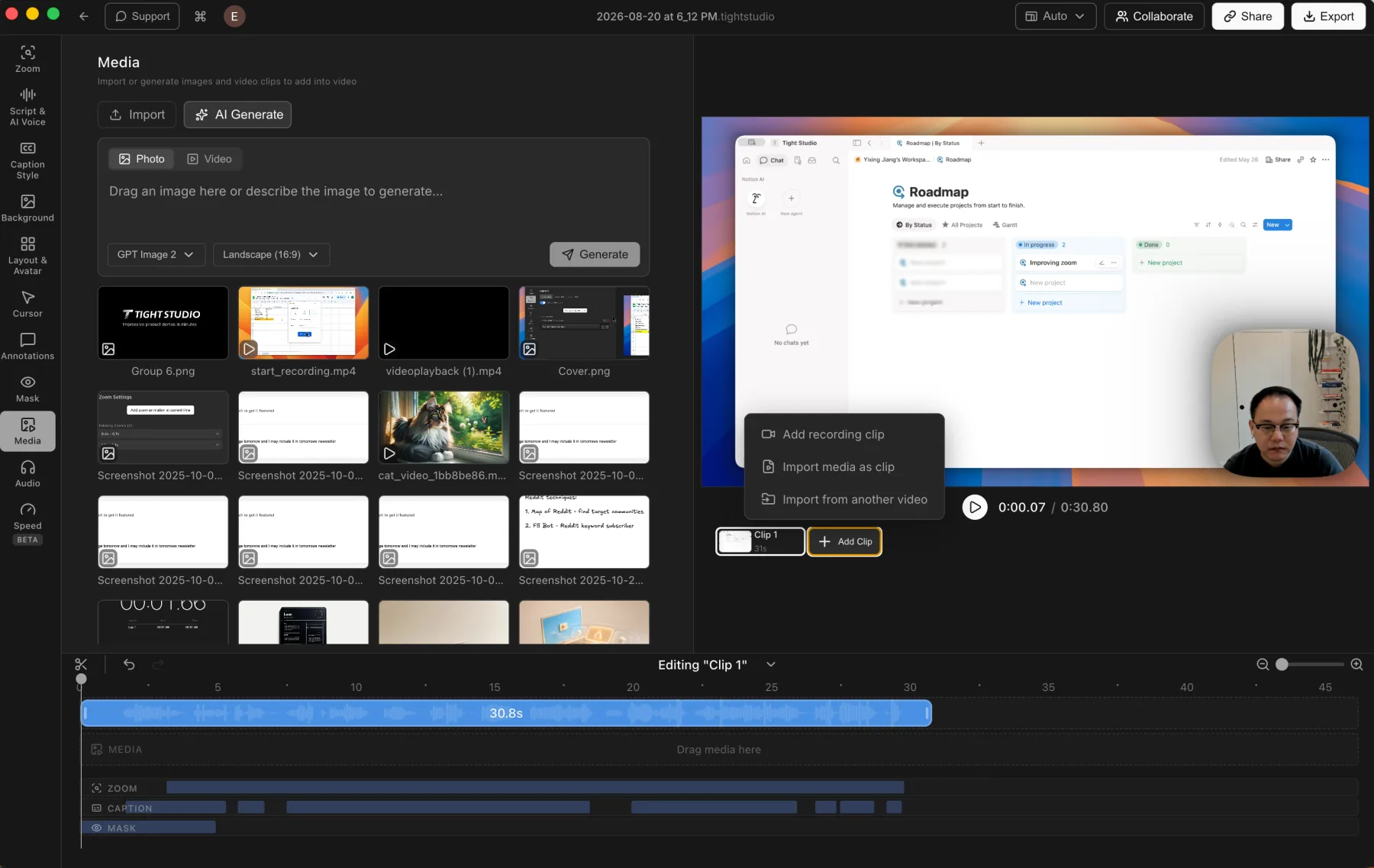
Tight Studio wins decisively. It combines multiple recordings, imported video clips, and photos in one project. CleanShot X trims one recording and adjusts its output settings, but does not assemble a video timeline.

Tight Studio

Pros

  • Combines multiple screen recordings into one project, including new takes and clips imported from another video.
  • Imports photos and videos into the media library, then places them on the timeline as timed visual layers.
  • Keeps assembly, visual edits, and the final export in one app, avoiding an extra handoff and video encode.

Cons

  • Larger multi-clip projects require more timeline organization than a simple one-take recording.

CleanShot X

No video timeline or clip assembly

CleanShot X trims one recorded video and adjusts its export and audio settings. It does not combine multiple recordings or place imported images, videos, and audio on a timeline.

View CleanShot X video editor features

Pros

  • Trimming a single quick capture is direct and easy to understand.
  • Quality, resolution, playback, and audio settings cover common sharing preparation.

Cons

  • Does not combine multiple recordings inside one project.
  • Does not import still images, b-roll, or additional video clips into a recording.
  • Anything beyond trimming requires another video editor.

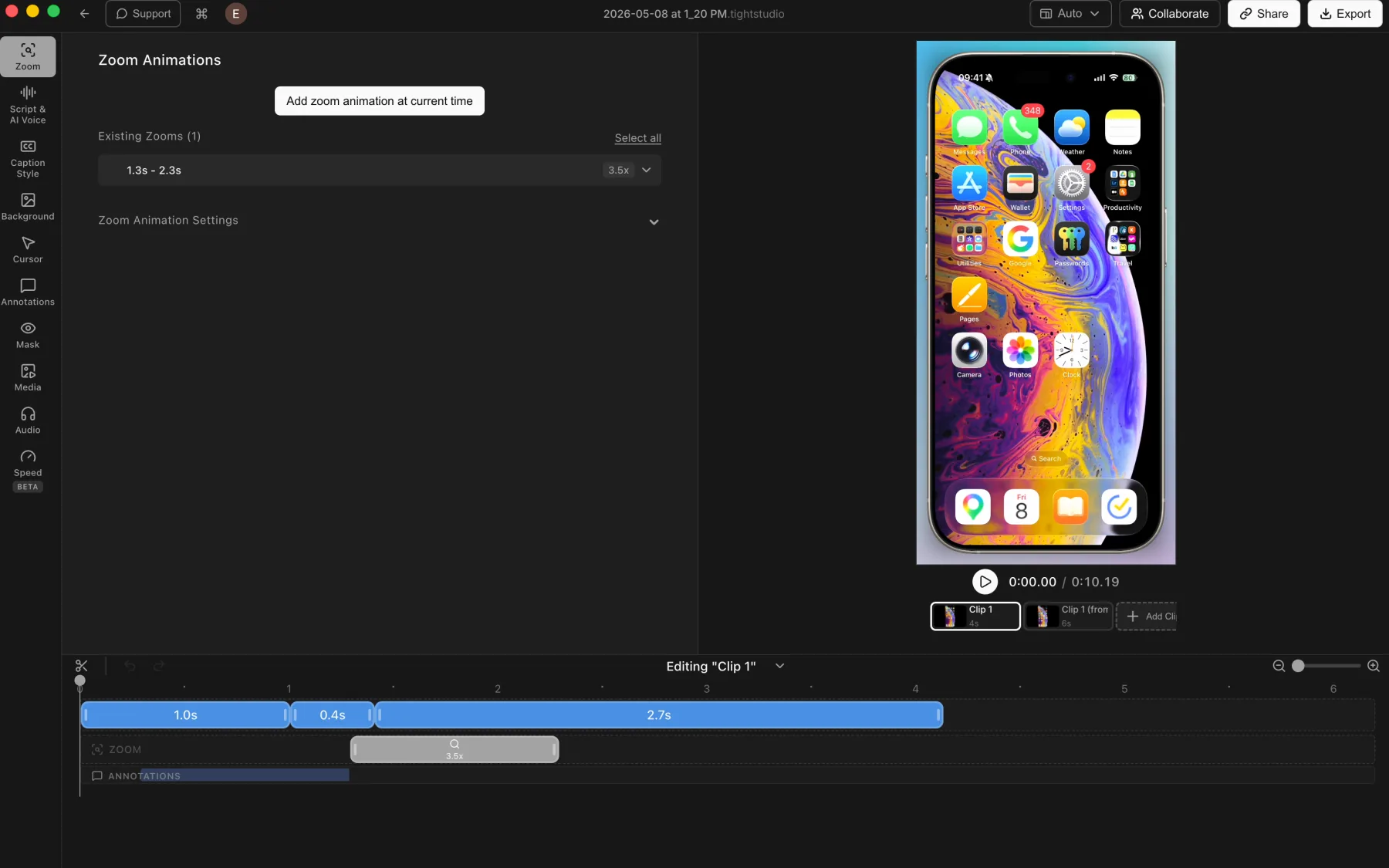
iPhone and iPad recording

Direct device capture preserves a clean mobile screen for app demos, tutorials, support videos, and product walkthroughs.

The problem it solves

Showing a mobile app through a webcam adds glare, hand movement, and uneven focus. Native device capture keeps text and touch-driven interfaces sharp, then brings the footage into the same post-recording workflow.

Our take

Tight Studio wins. It records a connected iPhone or iPad directly into an editable project. CleanShot X focuses on Mac screen, window, and area capture and does not list direct connected-device recording.

Tight Studio

Pros

  • Captures a connected iPhone or iPad directly into the Tight Studio editor.
  • Applies the usual post-recording tools, including manual zooms, backgrounds, captions, masks, and annotations.
  • Combines multiple mobile-device takes as clips inside one project.

Cons

  • Requires connecting and trusting the device before recording.
  • Touch gestures do not provide desktop-style cursor metadata, so zooms may need manual placement.

CleanShot X

No direct iPhone or iPad capture

CleanShot X documents recording a Mac window, full screen, or custom area. Its current feature set does not include connected iPhone or iPad capture into the app.

View CleanShot X recording features

Pros

  • Can record a mirrored device window if another Mac app displays the device first.

Cons

  • Does not capture a connected iPhone or iPad directly.
  • Mobile recordings need another capture method before any editing or sharing in CleanShot X.
  • Does not add device frames or mobile-specific editing controls.

Camera-only recording

A dedicated camera mode creates clean talking-head footage for introductions, updates, lessons, and direct-to-camera explanations.

The problem it solves

Not every video begins with a screen. Creators often need to introduce a topic or explain context before showing software, then assemble that presenter footage with the screen recording.

Our take

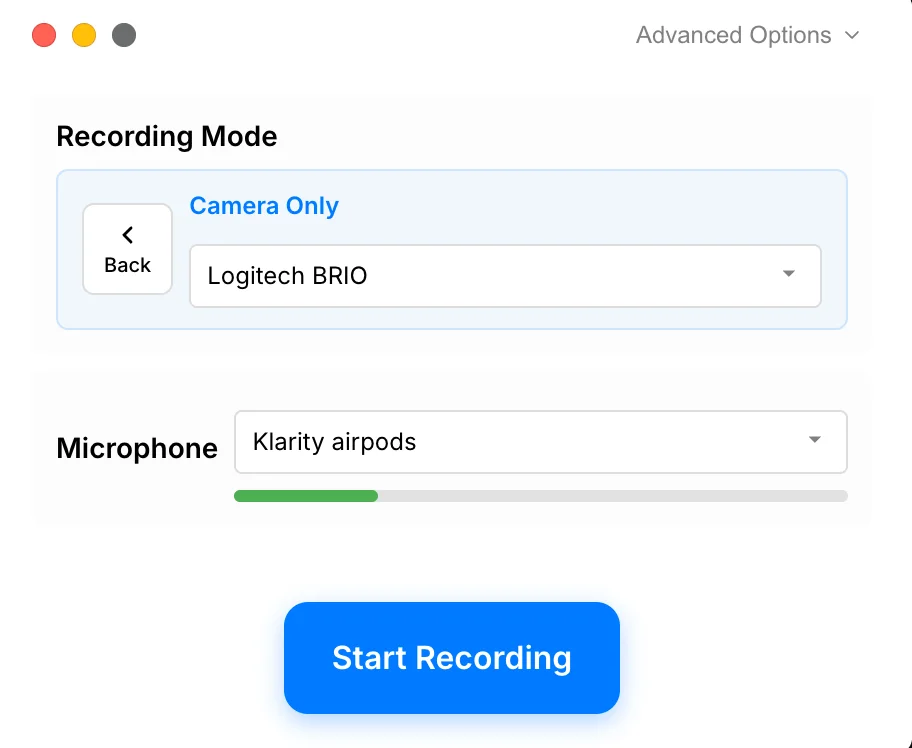
Tight Studio wins. It records the selected camera and microphone without the screen and can combine that take with other clips. CleanShot X can make its capture-stage camera overlay fullscreen, but it does not provide a separate camera-only project workflow.

Tight Studio

Pros

  • Records the camera and microphone without requiring a screen capture.
  • Works for personal introductions, presenter-led updates, course segments, and talking-head videos.
  • Keeps the camera-only take inside the same editor used for screen and mobile recordings.

Cons

  • A camera-only recording does not include screen content unless another clip is added to the project.

CleanShot X

Fullscreen camera is still a screen-recording overlay

CleanShot X can make its camera overlay fullscreen while recording, but it does not provide a separate camera-only project type with a video timeline.

View CleanShot X camera features

Pros

  • Fullscreen camera mode can put the presenter in focus during a screen capture.
  • Camera position, size, and shape remain easy to control during capture.

Cons

  • Does not create a dedicated camera-only recording project.
  • Does not combine a separate talking-head take with screen clips in one editor.

Exports, GIFs, share links, and pricing access

Local files serve publishing workflows, while browser links make reviews and handoffs faster. The ideal export flow depends on whether the capture needs editing first.

The problem it solves

A quick capture should be easy to copy or share. A finished video needs enough editing control before export that the creator does not have to move the file through another app.

Our take

Split decision. CleanShot X is excellent for direct MP4 or GIF capture and fast cloud links, with a $29 one-time license. Tight Studio wins when the file needs a deeper edit first, and its free tier includes standard no-watermark exports.

Tight Studio

Pros

  • Free includes standard video exports without a watermark or credit card requirement.
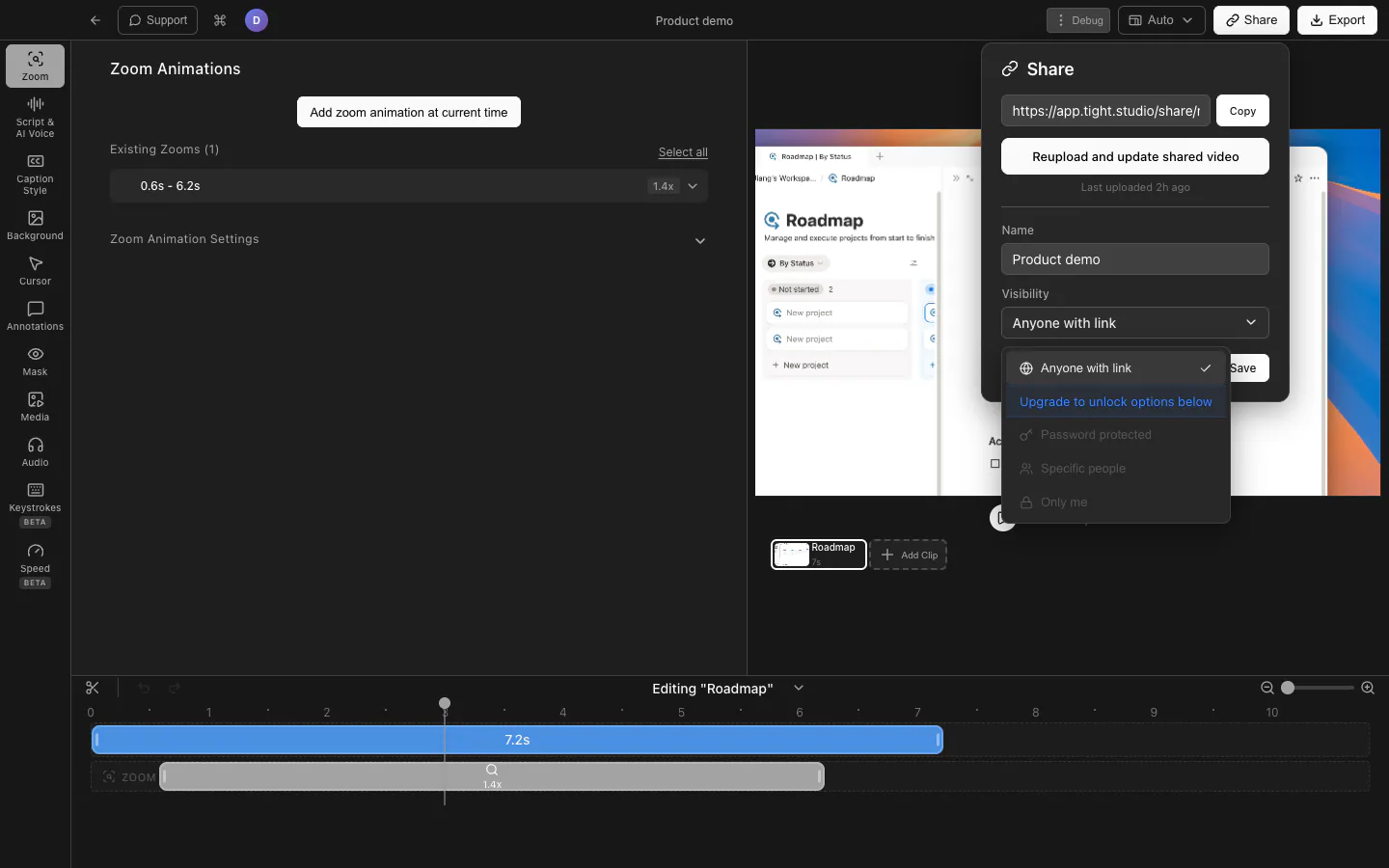
  • Free accounts can create up to five shareable links, each available for seven days.
  • Plus adds unlimited, non-expiring shareable links, while paid access controls include password protection and specific viewers.

Cons

  • Free shareable links expire after seven days and are limited to five.
  • Password-protected, email-restricted, and private links require a paid plan.
  • Exports containing trial AI Voice generation include a watermark.

CleanShot X

Strong quick-export and cloud handoff

CleanShot X records MP4 or GIF, offers basic quality and resolution controls, and can upload captures to CleanShot Cloud for an instant link. The $29 license includes 1 GB of cloud storage.

View CleanShot X pricing

Pros

  • Records directly to MP4 or GIF with quality, FPS, and resolution controls.
  • Uploads screenshots and videos to CleanShot Cloud for quick sharing.
  • The one-time app license includes one year of updates and 1 GB of cloud storage.

Cons

  • There is no free app tier or first-party trial, although purchases have a 30-day money-back guarantee.
  • Unlimited cloud storage and advanced cloud controls require Cloud Pro.
  • The video is shared as captured and trimmed, without Tight Studio's deeper post-production workflow.

Screenshot utility versus video production workflow

CleanShot X is strongest for screenshots, annotations, scrolling capture, OCR, and quick recordings. Tight Studio is a dedicated recorder and editor for videos that need zoom, captions, narration, music, overlays, and multiple takes.

When should you choose CleanShot X?

Screenshots are your main output

CleanShot X covers area, window, and scrolling capture with OCR and screenshot annotation.

You need direct GIF recording

CleanShot X can record directly to GIF. Tight Studio also supports GIF output, but exports the edited project to GIF after capture.

You only need lightweight video controls

CleanShot X keeps video work intentionally lightweight with trim, quality, resolution, playback, volume, mute, and stereo/mono controls.

When should you choose Tight Studio?

Video is the primary deliverable

Tight Studio is built for product demos, tutorials, and presentations rather than mixed screenshot utilities.

You need a real edit after capture

Use zoom effects, captions, animated overlays, music, and AI narration in the same app.

You record in sections

Multi-clip recording makes retakes and assembled walkthroughs part of the normal workflow.

The table does not need to repeat the basics

Both products already cover the foundation of a polished Mac screen recorder. The comparison below focuses on the differences that can actually change your choice.

  • Mac screen recording with microphone and computer audio
  • Webcam capture alongside the screen
  • MP4 and GIF output
  • Basic trimming before sharing
  • Quality and resolution controls
  • Browser share links through each product's cloud service

The differences that change the decision

Both apps can record and share the Mac screen. This table focuses on what happens after capture and on the screenshot tools that only CleanShot X provides.

Feature Tight Studio CleanShot X
Primary workflow
Video production Record, edit, and assemble polished videos
Capture utility Screenshots, OCR, GIFs, and quick recordings
Automatic and manual zoom
Yes Editable after recording
No No video zoom editor
Post-recording cursor animation
Yes Editable cursor path and style
No Capture-stage clicks and keystrokes only
Video backgrounds and padding
Yes Wallpapers, gradients, colors, and brand images
No Background tool is for screenshots
Styled video captions
Yes Transcription, editing, and style presets
No OCR is for copying on-screen text
Timed video annotations and masks
Yes Text, shapes, highlights, and privacy masks
No Annotation tools are for screenshots
AI narration and voice cloning
Yes Available with Pro
No Not included
Multi-clip projects and media imports
Yes Record or import clips, photos, and video
No Single-recording trim only
Microphone and computer audio
Yes Editable recording tracks
Yes Capture plus basic volume controls
Camera overlay
Yes Editable timeline layouts and virtual backgrounds
Yes Position, size, shape, and fullscreen at capture time
GIF output
Yes Export an edited project as GIF
Yes Record directly to GIF
Screenshot capture, OCR, and markup
No Focused on video
Yes Core CleanShot X workflow
Starting price
$0 Free standard exports without watermark
$29 One-time app license

What is the practical difference?

Choose based on the work you need to finish, not the longest feature list.

Workflow

CleanShot X is optimized for fast captures and utility tasks. Tight Studio carries a recording through a fuller edit and export process.

Finished video quality

CleanShot X offers trimming, quality and resolution settings, audio controls, and camera overlays. Tight Studio adds automatic zoom, cursor animation, styled captions, narration, music, and overlays for a more produced result.

Privacy and storage

Both support shareable video links through their respective cloud options. The existing comparison does not claim a broader local-processing or privacy difference between them.

Pricing and ownership cost

CleanShot X starts with a $29 one-time purchase and offers optional paid cloud service and update renewals. Tight Studio offers a free tier and subscriptions from $9 per month billed yearly.

Current plans and practical limits

$0 / month Standard exports have no watermark. Free includes two Add Clip trial uses, up to five seven-day share links, and 100 trial AI credits; trial AI Voice exports are watermarked.

CleanShot X starts at $29 one-time for the app, one year of updates, and 1 GB of cloud storage. Tight Studio starts free for standard video exports, then adds unlimited multi-clip recording and sharing with Plus.

Tight Studio

Free $0 No watermark on standard exports; 2 Add Clip trial uses, up to 5 shareable links with 7-day expiration, and 100 trial AI credits
Plus $9/mo Billed yearly, or $19/mo monthly. Unlimited multi-clip recording and unlimited non-expiring shareable links
Pro $24/mo Billed yearly, or $49/mo monthly. 1,000 AI credits/mo plus team workspace and collaborative editing

CleanShot X

App + Cloud Basic $29 One-time purchase with 1 year of updates and 1 GB of cloud storage
Cloud Pro $8/mo Per user, billed annually, or $10/mo monthly. App + unlimited cloud storage
Update renewal $19/yr Optional after the first year; the installed app keeps working without renewal

Can you use both?

Yes, and their roles are complementary. CleanShot X can handle screenshots, OCR, quick annotations, and direct-to-GIF captures, while Tight Studio handles edited screen videos and GIF exports. No integration between the products is needed.

Reviewed against current public product information

This is a first-party comparison written and reviewed by the Tight Studio team. We reviewed it on August 20, 2026 using official product documentation, pricing pages, and the current Tight Studio pricing and feature pages. Feature availability can depend on plan, platform, or workflow, so the table uses notes and “Partial” where a simple yes/no would be misleading.

Loved by creators worldwide

See what our users have to say about Tight Studio.

4.8/5

“Tight Studio combines simplicity with impact. It's effortless to use, yet the videos I create in minutes consistently help attract new users to our latest product features.”

Sinyoung Lee
Sinyoung Lee Growth lead at Klarity

“I've been using Tight Studio recently to prep presentations and share demos with my colleagues, and it's been a huge time saver. The whole flow feels really smooth, even for someone with no video editing skills. I can go from recording to a clean, shareable product demo in minutes with almost no effort.”

Ivy Chen
Ivy Chen Data scientist at Yahoo

“Awesome tool - I've used it to seamlessly edit my video recordings to show it to peers and for presentations and guides for software usage! Setup is super easy, and I LOVE the auto-zoom feature. Crazy how fast the team is shipping too.”

Shivam Misra
Shivam Misra Software engineer at Quanta

Tight Studio or CleanShot X?

Choose CleanShot X for a broad Mac capture utility centered on screenshots. Choose Tight Studio for screen recordings that need deliberate editing and presentation polish. Using both is reasonable when you create both formats regularly.

Frequently asked questions

Is Tight Studio a good alternative to CleanShot X?

Yes when video is your main output. Tight Studio adds automatic zoom, cursor animation, styled captions, AI narration, video annotations, backgrounds, and multi-clip editing. It is not a replacement for CleanShot X if you mainly need screenshots, scrolling capture, OCR, or fast screenshot markup.

Is Tight Studio free?

Free includes standard exports without a watermark, two account-level Add Clip trial uses, up to five shareable links with seven-day expiration, and 100 trial AI credits. AI Voice exports use a watermark during the trial.

Does CleanShot X have a video timeline?

No. CleanShot X has a lightweight video editor for trimming, playback, quality, resolution, volume, mute, and stereo-to-mono conversion. It does not provide a production timeline for zooms, captions, overlays, music, masks, or multiple clips.

Does CleanShot X have automatic zoom or captions?

No. CleanShot X can capture click markers and keystrokes while recording, but it does not generate automatic zooms or animate the cursor path after capture. Its OCR feature copies text from the screen; it does not transcribe speech or create video captions.

Can both apps record computer audio and a webcam?

Yes. Both can record microphone audio, computer audio, and a camera alongside the screen. CleanShot X bakes its capture-stage choices into the output, while Tight Studio keeps camera layouts and recorded content inside a deeper editing workflow.

Can Tight Studio replace CleanShot X for GIFs?

Tight Studio can export an edited project as a GIF. CleanShot X is faster when you want to record directly to GIF with no production edit. Choose based on whether speed or post-recording control matters more for that capture.

Should I use both Tight Studio and CleanShot X?

Using both is reasonable. CleanShot X can handle screenshots, OCR, quick annotations, and direct-to-GIF captures, while Tight Studio handles videos that need deliberate editing and presentation polish. No integration is required; each app covers a different output.

Want to turn a screen capture into a finished video?

Try Tight Studio free for automatic zoom, polished cursor motion, captions, overlays, and multi-take projects.

Download free

macOS Apple Silicon - Free to start, no credit card required